How VLANs Work in Real Networks? – Beginner Friendly VLAN Guide
VLANs work in real networks is one of the most important concepts beginners should understand in networking. In modern companies, schools, and data centers, VLANs help organize devices, improve security, and reduce unnecessary network traffic. This beginner-friendly guide explains VLAN basics, real-world VLAN examples, VLAN tagging, trunk ports, and Inter-VLAN communication in simple language.
Modern networks are much bigger and more complex than they were a few years ago. Offices, schools, hospitals, and companies all have hundreds of devices connected to the same network every day. Without proper organization, the network can become slow, insecure, and difficult to manage.
This is where VLANs become important.
If you are learning networking or preparing for a CCNA certification course, understanding VLANs is one of the most important networking concepts for beginners.
What Is VLAN Networking?
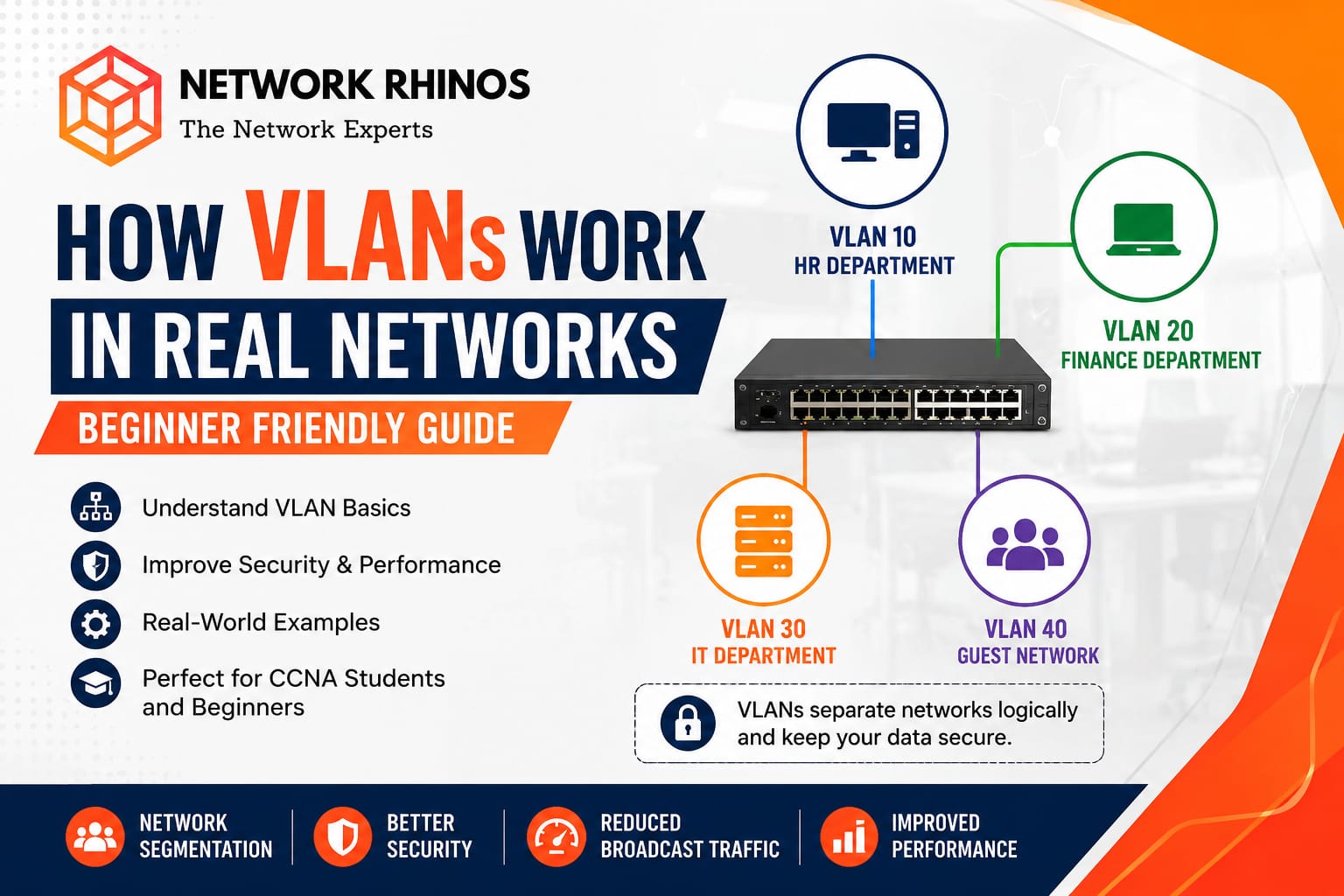
A VLAN (Virtual Local Area Network) is a method used to divide one physical network into multiple smaller logical networks.
Normally, devices connected to the same switch belong to one broadcast domain. This means every device can receive broadcast traffic from other devices on that network. In large networks, this creates unnecessary traffic and reduces performance.
A VLAN solves this problem by separating devices into different groups, even if they are connected to the same switch.
For example:
- HR department devices can be placed in VLAN 10
- Finance department devices can be placed in VLAN 20
- Guest Wi-Fi users can be placed in VLAN 30
Even though all devices use the same physical switch, they work like separate networks.
This process is called network segmentation.
Why VLANs Are Important in Real Networks?
Imagine a company with 200 employees using one single network.
Without VLANs:
- All devices can communicate directly
- Broadcast traffic becomes very high
- Security becomes weak
- Troubleshooting becomes difficult
Now imagine the same company using VLANs.
Each department gets its own virtual network. This improves both security and performance.
Benefits of VLAN in enterprise networks
Better Security
Devices in different VLANs cannot communicate directly without permission. This helps protect sensitive data.
For example:
- Guest users cannot access company servers
- Students cannot access admin systems in schools
Reduced Broadcast Traffic
Broadcast messages stay inside their own VLAN. This reduces unnecessary traffic on the network.
Easier Network Management
Network administrators can organize users based on:
- Department
- Building
- Floor
- Project team
Improved Performance
Smaller broadcast domains improve overall network efficiency.
This is why VLANs are commonly used in enterprise networking environments.
How VLAN Works in a Switch?
To understand how VLAN works in a switch, think of the switch as a building with many rooms.
- Without VLANs, every room is connected together. Everyone can hear everyone else.
- With VLANs, the rooms become separated. Only devices inside the same VLAN can communicate directly.
Here’s a simple example:
- PC1 belongs to VLAN 10
- PC2 belongs to VLAN 10
- PC3 belongs to VLAN 20
PC1 and PC2 can communicate because they are in the same VLAN.
PC1 cannot communicate with PC3 directly because they belong to different VLANs.
This separation happens at the switch level using VLAN configuration.
Real World VLAN Examples
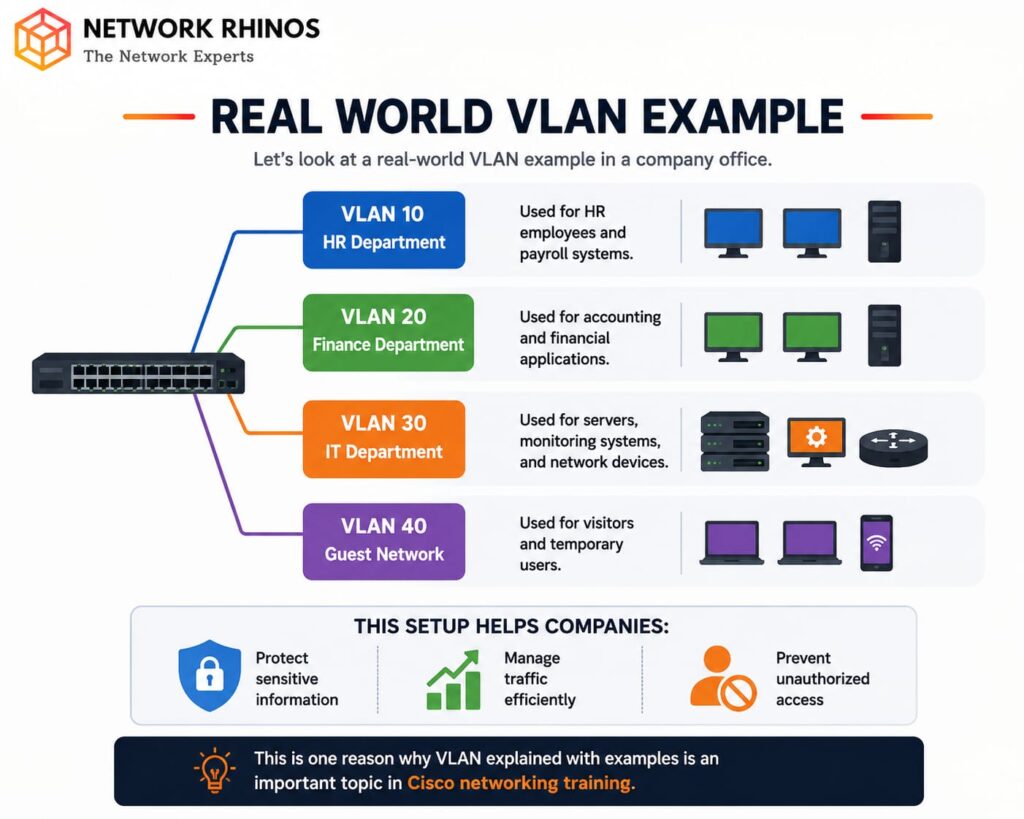
Let’s look at a real-world VLAN example in a company office.
1. VLAN 10 – HR Department
Used for HR employees and payroll systems.
2. VLAN 20 – Finance Department
Used for accounting and financial applications.
3. VLAN 30 – IT Department
Used for servers, monitoring systems, and network devices.
4. VLAN 40 – Guest Network
Used for visitors and temporary users.
This setup helps companies:
- Protect sensitive information
- Manage traffic efficiently
- Prevent unauthorized access
This is one reason why VLAN explained with examples is an important topic in Cisco networking training.
Access Port vs Trunk Port
When learning VLAN basics, you will often hear about access ports and trunk ports.
Access Port
An access port carries traffic for only one VLAN.
Usually:
- PCs
- Printers
- IP phones
are connected to access ports.
Example:
A computer in VLAN 10 connects to an access port assigned to VLAN 10.
Trunk Port
A trunk port carries traffic for multiple VLANs between switches.
This is important when:
- Multiple switches are connected
- VLANs need to exist across different floors or buildings
Trunk ports use a process called VLAN tagging to identify which VLAN each packet belongs to.
Understanding access port vs trunk port is very important for CCNA students and beginner network engineers.
Can Devices in Different VLANs Communicate?
By default, devices in different VLANs cannot communicate.
For example:
- VLAN 10 cannot directly talk to VLAN 20
To allow communication, networks use something called Inter-VLAN routing.
This is usually done using:
- A Layer 3 switch
- Or a router
This process allows controlled communication between VLANs while still maintaining security.
This is a very common topic in CCNA VLAN concepts and networking interview questions.
VLAN Security Benefits
One major reason companies use VLANs is security.
Without VLANs, one infected device can affect the entire network.
With VLANs:
- Problems stay limited to one VLAN
- Sensitive systems stay isolated
- Unauthorized access becomes harder
For example:
A guest connected to public Wi-Fi should never access company databases.
Using VLANs helps prevent this type of security risk.
This is why VLAN security benefits are important in modern enterprise networks.
Common VLAN Mistakes Beginners Make
When students start learning VLAN configuration, they often make a few common mistakes.
Wrong VLAN Assignment
- A device may be assigned to the wrong VLAN.
Trunk Port Misconfiguration
- If trunk ports are not configured correctly, VLAN traffic may not pass between switches.
VLAN Mismatch
- Different switches may use different VLAN settings.
Forgetting Inter-VLAN Routing
- Many beginners forget that different VLANs need routing to communicate.
- Learning these mistakes early helps students improve their networking troubleshooting skills.
Why VLANs Matter for CCNA Students?
If you are preparing for a CCNA certification training program, VLANs are one of the most important topics you will study.
You will learn:
- VLAN creation
- Switch VLAN configuration
- VLAN tagging
- Trunking
- Inter-VLAN communication
- VLAN troubleshooting basics
More importantly, you will understand how real companies organize and secure their networks.
Practical networking labs are the best way to learn these concepts because VLANs become easier to understand when configured on actual switches.
Final Thoughts
VLANs are one of the most useful technologies in modern networking. They help companies organize devices, improve security, reduce broadcast traffic, and manage networks more efficiently.
For anyone starting a career in networking, learning VLAN concepts is a strong foundation. Whether you are studying networking concepts for beginners or preparing for Cisco networking certification, understanding VLANs will help you build real-world networking skills.